Introducing our delightful Free Reading Makes Me Happy SVG! This charming design is ideal for those who adore crafting with their Cricut or Silhouette machines. Perfect for creating heartwarming projects inspired by the joy of reading, this SVG will bring a smile to every book lover’s face. At Crafty Crafter, we offer a fantastic selection of free SVG files that can ignite your creativity!
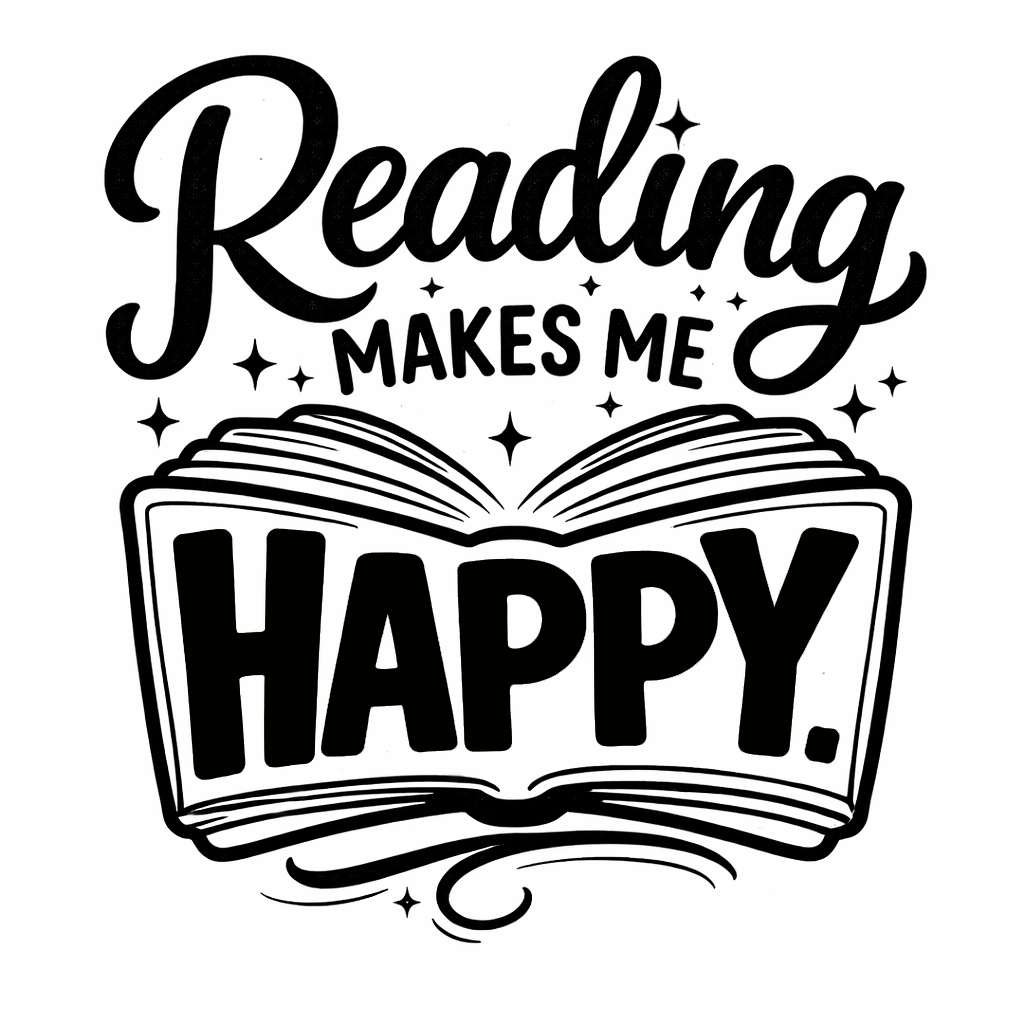
About This Free Reading Makes Me Happy SVG
This lovely quote SVG captures the essence of happiness derived from reading, showcasing a whimsical typography style that will surely appeal to bibliophiles and craft enthusiasts alike. You can use this design to create unique home decor items, personalised gifts, and more! To explore more designs, check out our More Cute SVG Files.
What Can You Make With This Free SVG?
- Vinyl decals for your favourite reading nook
- T-shirts that make a statement about your love for books
- Custom tote bags for carrying your latest reads
- Charming mugs for your morning coffee while reading
- Beautiful wall art to brighten up your living space
- Unique DIY gifts for the bookworm in your life
- Fun stickers to personalise your journals or planners
If you want to learn how to access a broader selection of designs, check out our post on how to find these amazing files! Are There Subscription Services for Unlimited Cricut SVG File Downloads?
Why Crafters Love SVG Files
SVG files have become a go-to choice for crafters, providing unmatched flexibility and creativity for their projects. Whether you are working in Cricut Design Space, Silhouette Studio, or Brother ScanNCut, these files are easy to manipulate and can be used for cutting through various materials. Layered SVG files allow for more intricate designs, making them perfect for vinyl craft projects and HTV designs. You’ll find an abundance of themes as SVG files, from animal and flower SVGs to funny quotes and farmhouse designs.
How to Use This SVG in Cricut Design Space
- Download the Free Reading Makes Me Happy SVG file from the link provided above.
- Open Cricut Design Space on your computer or device.
- Select “Upload”, then choose “Upload Image” to import your new SVG.
- Once imported, select the design and click “Insert Images” to bring it into your workspace.
- Adjust the size and position according to your project requirements.
- Choose your material, load it into your cutting machine, and hit “Make It”!
- For Silhouette users, you can follow similar steps within Silhouette Studio for perfect results.
More Free SVG Files You May Love
If you are loving this design, we have plenty more free SVG files waiting just for you! Whether you’re looking for something quirky or something classic, you’ll find designs that will inspire your next crafting session. Explore our More Free SVG Files for Cricut.
Helpful Crafting Resources
There’s a world of creativity at your fingertips when searching for the right fonts, graphics, and SVG designs. To find great resources, check out Creative Fabrica for an expansive library designed to elevate your crafting experience.
We can’t wait to see what creative projects you come up with using our Free Reading Makes Me Happy SVG! Don’t forget to share your makes with us over at Crafty Crafter or tag us in your projects! Happy crafting!
Download this file then check it's Cricut-ready with SVG Doctor before you cut — it scans for stray nodes, layer issues, and anything that might cause problems in Design Space.
Check My SVG Free →Looking for more free SVG files for Cricut? Browse hundreds of SVG designs including funny quotes, coffee SVG files, dog SVG designs and seasonal graphics.
Browse More Free SVG Files