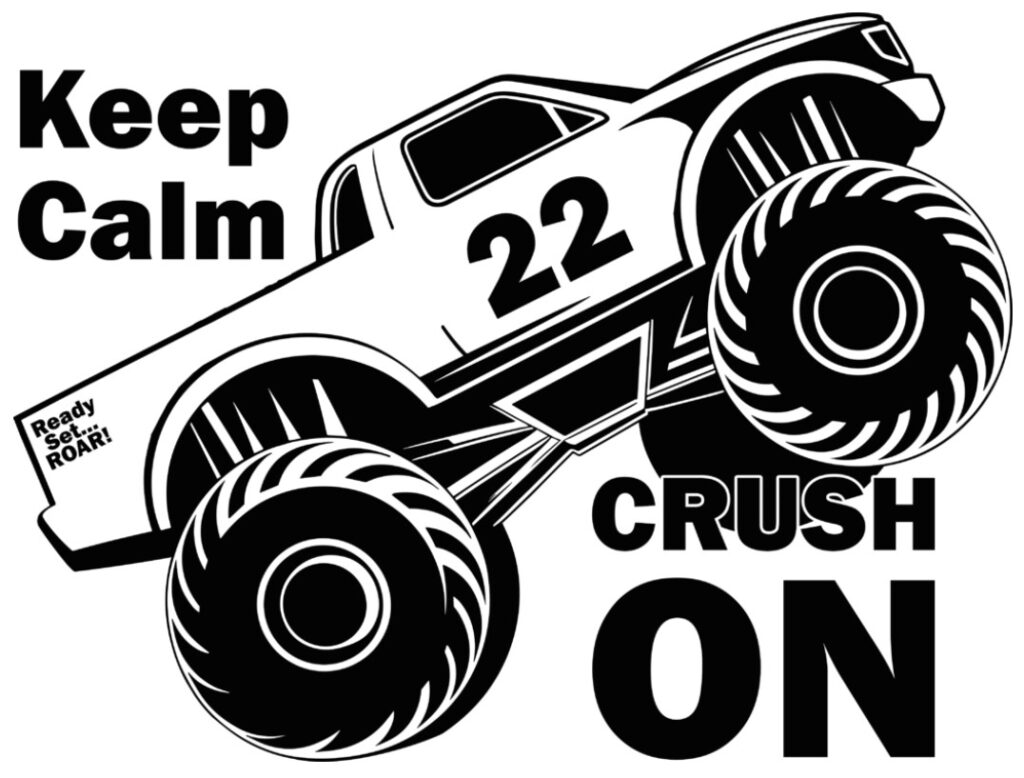
Get ready to crush your next craft project with this bold and fun Monster Trucks SVG Free design.
This unique cut file features a detailed monster truck with the words “Keep Calm” above and “Crush On” below the wheels, perfectly lined up so it looks like the truck is rolling right over the text. It’s a playful, high-energy design that’s perfect for kids, truck lovers, or anyone who enjoys a little attitude in their crafts.
Whether you’re creating a vinyl decal for your car window, a t-shirt for a little monster-truck fan, or a wall sign for a playroom, this free SVG file is a great addition to your collection. The design is clear, well-layered, and easy to cut with any modern machine.
What’s Included
You’ll receive:
- 1 x SVG File – For use with Cricut Design Space, Silhouette Studio (Designer Edition), Brother CanvasWorkspace, or any other software that supports SVG format.
The SVG file is ready to use immediately after download. There are no additional file types included and no need to convert or trace. Simply upload it to your preferred cutting software and start crafting.
License
This file is free for both personal and commercial use.
You are welcome to use it to create and sell physical products, such as t-shirts, mugs, tote bags, decals, keychains, or wall art. You may not, however, resell, share, or distribute the digital file itself. If others would like a copy, please direct them to this page to download it for themselves.
Craft Ideas
The Monster Trucks SVG Free design can be used in countless creative projects. Here are a few ideas:
- Apparel – Make bold t-shirts or hoodies for children who love monster trucks or create fun matching outfits for family events.
- Drinkware – Apply the design to mugs, tumblers, or travel cups using permanent vinyl.
- Wall Art – Cut the design from adhesive vinyl or use it as a stencil for painting on wood, canvas, or metal signs.
- Party Decorations – Use the file for birthday banners, cake toppers, or invitations for a monster-truck-themed party.
- Decals and Stickers – Make durable stickers for laptops, notebooks, lunch boxes, or toolboxes.
Because this is a scalable vector graphic, the design can be resized without losing quality. You can make it small enough for a mug or large enough for a wall decal.
How to Upload the SVG to Cricut Design Space
If you’re new to working with SVG files, uploading to Cricut Design Space is simple:
- Open Cricut Design Space on your computer or mobile device.
- Start a New Project and click Upload on the left-hand panel.
- Select Upload Image, then Browse to find your downloaded SVG file.
- Choose the file and click Open.
- When the design preview appears, click Add to Canvas.
- You can now resize, recolor, or edit the design as needed.
- Once satisfied, click Make It to start cutting your design.
This process works the same for both desktop and mobile versions of Design Space. If you’re using Silhouette Studio, make sure you have the Designer Edition or higher to import SVG files directly.
Tips for Best Results
- Use high-quality vinyl, cardstock, or heat-transfer materials to get a clean cut and smooth finish.
- For layered designs, group and align your elements before cutting to maintain perfect placement.
- Always perform a small test cut on your chosen material before committing to a full project.
- Store your cut pieces on a flat surface until you’re ready to assemble to prevent warping or stretching.
I hope you enjoy our Monster Trucks SVG Free Download as much as I did making it. We would love to see what you make with the SVG File.
Download this file then check it's Cricut-ready with SVG Doctor before you cut — it scans for stray nodes, layer issues, and anything that might cause problems in Design Space.
Check My SVG Free →