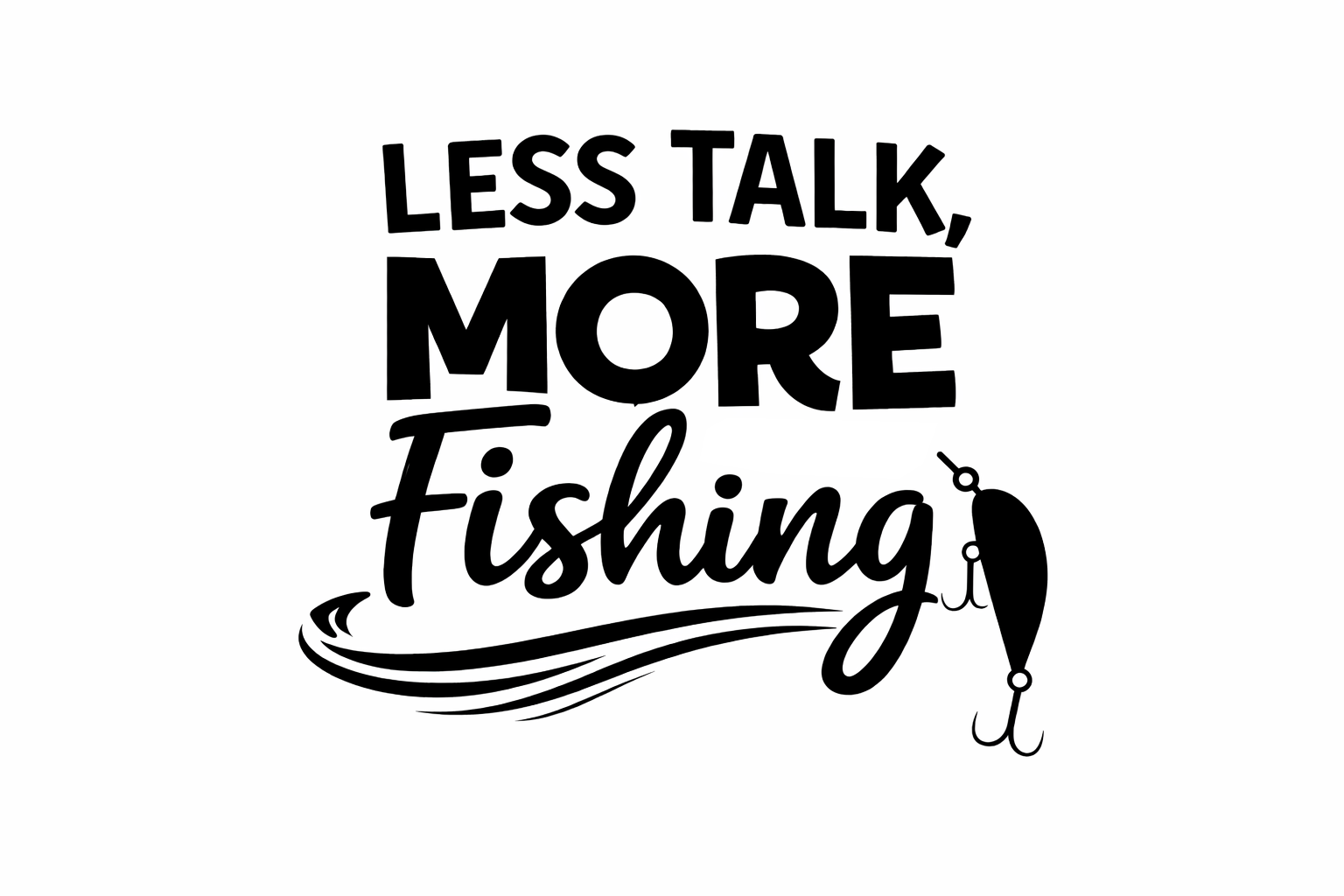
Get excited for a day on the water with our fabulous Less Talk More Fishing SVG! This delightful design is perfect for all the fishing enthusiasts out there who appreciate the beauty of tranquility and nature. Whether you’re using a Cricut or a Silhouette machine, this SVG cut file will bring your crafty dreams to life. For more fantastic designs, feel free to browse our free SVG library.
About This Free Less Talk More Fishing SVG
This charming Less Talk More Fishing SVG design is all about embracing the joys of fishing. The playful slogan captures the essence of relaxation and fun on the lake or river. Perfect for crafting a unique piece of art for your home or personalising gear for your next fishing trip. For more designs that cater to fishing lovers, check out our More Fishing SVG Files.
What Can You Make With This Free SVG?
- Vinyl decals for your boat or tackle box
- T-shirt designs to show off your passion
- Custom tote bags for your fishing gear
- Mugs for your morning coffee by the lake
- Stylish wall art to decorate your fishing cabin
- No-sew DIY gifts for fellow anglers
- Fishing-themed stickers for your journals or planners
If you’re looking for more creative options, you might also enjoy our article on Are There Subscription Services for Unlimited Cricut SVG File Downloads?
Why Crafters Love SVG Files
SVG files are a wonderful resource for crafters because they are designed specifically for use with cutting machines like Cricut and Silhouette. Whether you’re looking to create cut file designs or experiment with layered SVG files, this format allows for precision and creativity in every project. Crafters can easily manipulate designs in programs such as Cricut Design Space and Silhouette Studio, leading to stunning results on vinyl craft projects, HTV designs, and beyond. Plus, SVG themes can vary from funny quotes to adorable animals, making them suitable for countless crafting needs.
How to Use This SVG in Cricut Design Space
Using this Less Talk More Fishing SVG in Cricut Design Space is simple. Follow these easy steps:
- Open Cricut Design Space and click on “New Project”.
- Select “Upload”, then “Upload Image”.
- Find and choose the Less Talk More Fishing SVG file from your saved files.
- Once uploaded, click the image, then select “Insert Images”.
- Resize your design as needed and choose your material settings for your cutting machine.
- Press “Make It” and follow the prompts to cut your design!
Similar steps can be followed in Silhouette Studio, ensuring ease of use across different vinyl cutting machines.
More Free SVG Files You May Love
Don’t stop here! We have a collection of thousands of free SVG files that can inspire your next crafting journey. Check out our themed collections such as Outdoor SVGs for designs perfect for nature lovers!
Helpful Crafting Resources
As you dive into your crafting adventures, you might need some additional resources for fonts, graphics, and intricate SVG designs. Don’t hesitate to visit Creative Fabrica for an amazing selection of crafting tools!
We hope you enjoy creating with our Less Talk More Fishing SVG! Don’t forget to share your crafty creations with us. You can find more delightful designs in the Crafty Crafter free SVG downloads.
Download this file then check it's Cricut-ready with SVG Doctor before you cut — it scans for stray nodes, layer issues, and anything that might cause problems in Design Space.
Check My SVG Free →