If you love crafting with your Cricut or Silhouette, you’ll be excited about this free beauty doesn’t rinse off SVG file! Perfect for adding a touch of charm to your creative projects, this SVG design allows you to express your unique style, whether you’re creating stunning home decor, personalized gifts, or fashionable apparel. At Crafty Crafter, we are passionate about providing you with the best free SVG downloads to unleash your creativity.
This design, infused with beauty and elegance, will resonate with many crafters. The versatility of this SVG makes it suitable for various cutting machines, offering you a delightful crafting experience each time you use it!
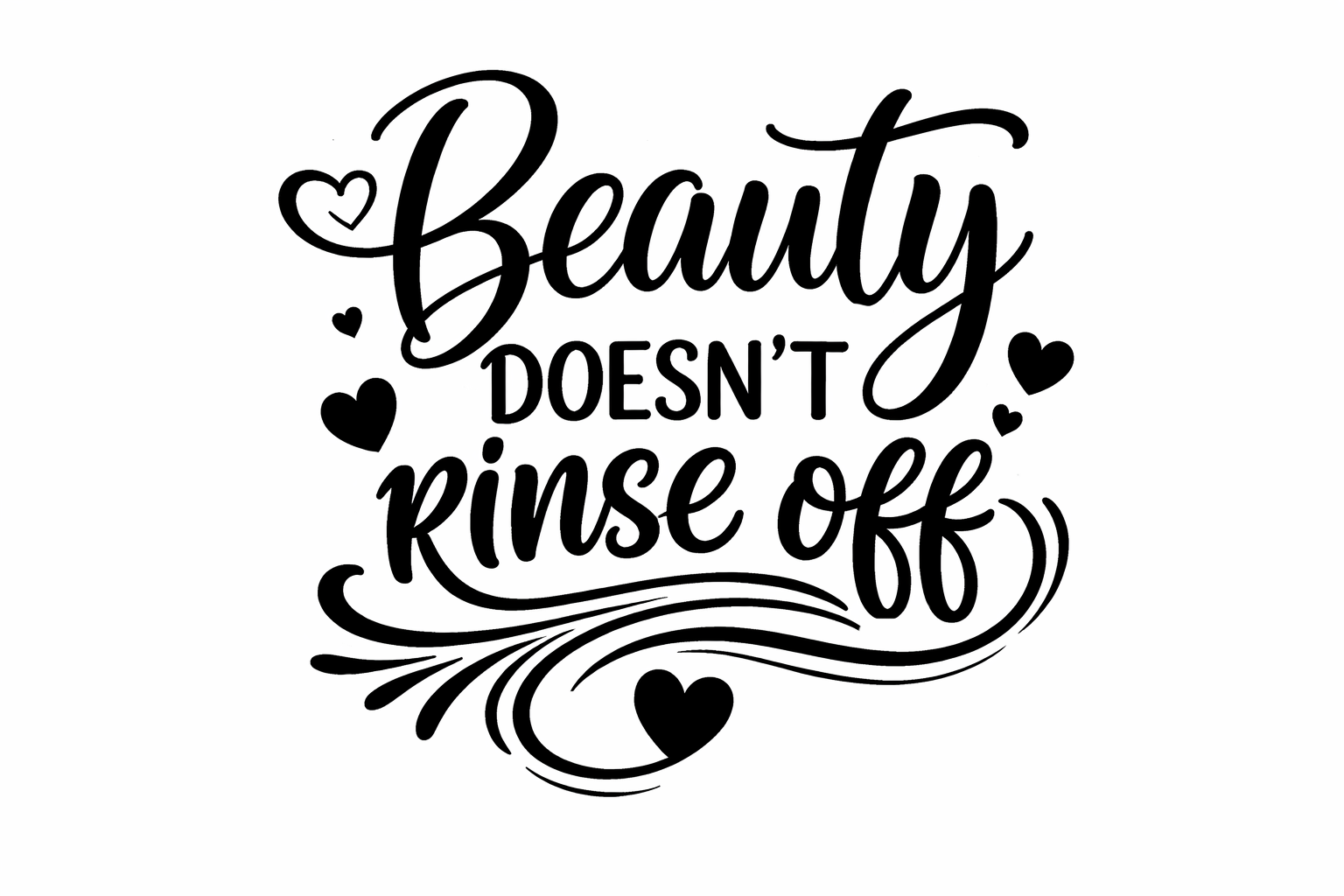
About This Free Beauty Doesn’t Rinse Off SVG
This enchanting design is perfect for any beauty enthusiast. It combines elegance with a playful touch, making it suitable for various crafting uses. This SVG file brings a whimsical flair to any project, allowing you to celebrate beauty in all its forms. Use it for t-shirts, mugs, or signs, and craft something that truly showcases your style!
You can also explore more SVG designs in our Dog category, offering diverse themes and styles.
What Can You Make With This Free SVG?
- T-shirts with a personal touch
- Charming tote bags for your shopping
- Stunning wall art to decorate your space
- Custom mugs for your coffee or tea
- DIY gifts for loved ones
- Vinyl decals for beautifying your gadgets
- Playful stickers to share with friends
For further inspiration, don’t forget to check out our post on Are There Subscription Services for Unlimited Cricut SVG File Downloads?.
Why Crafters Love SVG Files
SVG files are a crafter’s best friend! They are scalable without losing quality, ideal for projects using vinyl cutting machines such as Cricut and Silhouette. With the capability to produce intricate designs, layered SVG files are perfect for vinyl craft projects and HTV designs. Many crafters appreciate the ease of use with programs like Cricut Design Space and Silhouette Studio. This design adds a sophisticated twist to various crafting themes, from animal SVGs to floral patterns and witty funny SVGs. Whatever your crafting need, there’s an SVG file out there for you!
How to Use This SVG in Cricut Design Space
- Open Cricut Design Space and create a new project.
- Select “Upload,” and then choose “Upload Image” to browse for the downloaded SVG file.
- After uploading, select the image and click “Insert Images.”
- Resize the design as needed. Make sure you unlock the aspect ratio to adjust it freely.
- Choose your material type and load your vinyl or HTV into your machine.
- Follow prompts to cut the design, and then weed your vinyl.
- Lastly, apply your design to your chosen surface!
If you also own an SVG for Silhouette machines, the process is quite similar. Import the SVG, adjust the settings, and let your machine do the magic!
More Free SVG Files You May Love
Looking for more inspiration? We have a fantastic collection of free SVG files that cater to various themes and styles. Be sure to check out our Funny SVGs for some delightful crafting fun to add to your collection. You can also find a variety of designs on our More Free SVG Files for Cricut page.
Helpful Crafting Resources
Finding the right fonts, graphics, and SVG designs can elevate your projects significantly. For high-quality options, check out Creative Fabrica for an endless supply of inspiration and materials.
As you embark on your crafting journey with this beautiful SVG, remember to share your creations with us! We love to see what you make, and don’t forget to explore even more Crafty Crafter content for additional inspiration.
Download this file then check it's Cricut-ready with SVG Doctor before you cut — it scans for stray nodes, layer issues, and anything that might cause problems in Design Space.
Check My SVG Free →