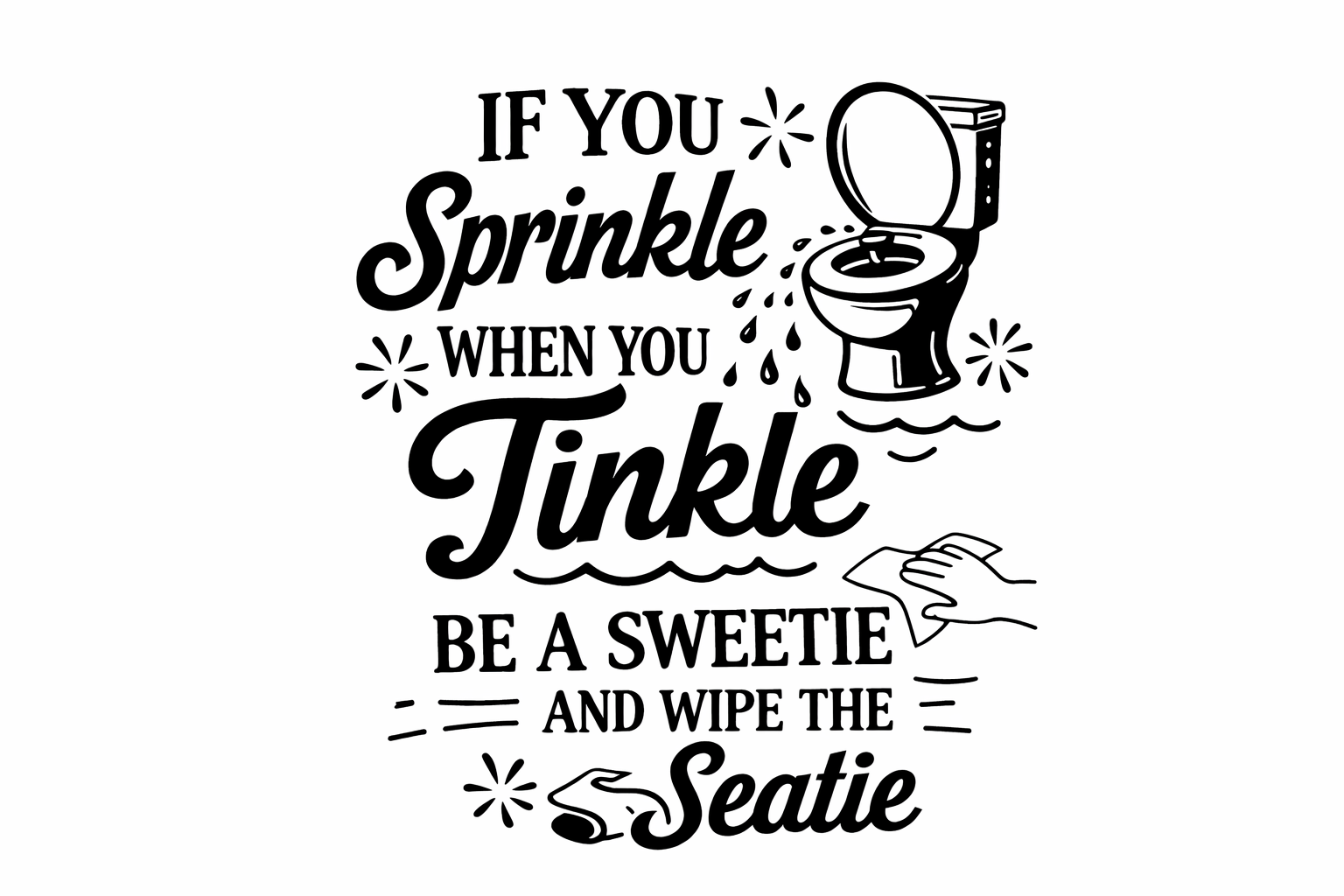
Are you ready to add a splash of fun to your crafting projects? This delightful ‘Sprinkle When You Tinkle’ SVG file download is perfect for crafters who love to inject a little humour into their designs. Using cutting machines like Cricut and Silhouette, create playful items that will definitely be the talk of the bathroom! For this and more fantastic designs, visit the free SVG library at Crafty Crafter.
About This Free Sprinkle When You Tinkle SVG File
This SVG showcases a comical take on bathroom etiquette, making it a perfect addition for anyone looking to spruce up their restroom decor. The playful phrase ensures a light-hearted atmosphere, ideal for home crafting lovers wanting to add personality to their spaces. As part of our SVG collection, it represents the sort of quirky designs we enjoy sharing.
What Can You Make With This Free SVG?
- Vinyl decals for bathroom mirrors
- Custom t-shirt designs for potty training parents
- Mugs that crack a laugh during tea time
- Funny wall art that welcomes guests
- Tote bags for a practical and quirky carry
- DIY gifts for a friend with a good sense of humour
- Stickers to add personality to notebooks
If you are on the lookout for more fun challenges, check out our post on subscription services for unlimited Cricut SVG file downloads.
Why Crafters Love SVG Files
SVG files are brilliant for various cutting machines, including Cricut Design Space and Silhouette Studio. The versatility of these cut files allows you to create everything from layered designs for vinyl projects to detailed HTV creations for t-shirts. They simplify the crafting process for various themes, such as funny SVGs, animal designs, floral patterns, and motivational quotes. With an SVG, your creative options are limitless!
How to Use This SVG in Cricut Design Space
Follow these simple steps to get started with your new SVG file:
- Download the SVG from the link provided above.
- Open Cricut Design Space and create a new project.
- Upload the SVG file by selecting ‘Upload’ from the left panel and follow the prompts.
- Once uploaded, insert it into your canvas.
- Resize and position your design as desired.
- Select your material and load it into your cutting machine.
- Click ‘Make It’ and follow the final instructions to cut your design! For Silhouette machines, a similar approach applies using Silhouette Studio.
More Free SVG Files You May Love
If you enjoyed this quirky SVG, why not explore other fun designs? You’ll find a variety of options in our Funny SVGs collection and more general free SVG files for Cricut that cater to every crafting need.
Helpful Crafting Resources
Looking for the perfect fonts and graphics to pair with your SVG designs? Check out Creative Fabrica for resources that will elevate your crafting projects.
Happy crafting! We can’t wait to see what you create with this fun SVG. Don’t forget to share your exciting makes with us at Crafty Crafter, where creativity knows no bounds!
Download this file then check it's Cricut-ready with SVG Doctor before you cut — it scans for stray nodes, layer issues, and anything that might cause problems in Design Space.
Check My SVG Free →Looking for more free SVG files for Cricut? Browse hundreds of SVG designs including funny quotes, coffee SVG files, dog SVG designs and seasonal graphics.
Browse More Free SVG Files