Summer creativity doesn’t have to drain your wallet, and that’s where free Cricut SVG files come in handy. You’re probably already thinking about those fun projects you want to tackle this season—custom t-shirts, personalized tote bags, or maybe some trendy home décor pieces. The thing is, quality design files can get expensive pretty fast. But here’s the good news: there are tons of complimentary summer-themed SVG files out there just waiting for your cutting machine. Whether you’re into bold tropical prints, cute beach motifs, or fun seasonal quotes, these digital templates let you create professional-looking projects without spending a dime. From poolside accessories to outdoor entertaining essentials, you’ve got options. The best part? You get to customize everything exactly how you want it. So grab your Cricut, pick your materials, and let’s explore what’s available to bring your summer vision to life.
Free Summer SVG Files for Beginners: What to Look for Before You Cut
Before you hit cut, evaluating a summer SVG file’s design complexity saves you from frustrating weeding sessions and wasted vinyl. The key factors are layer count, path intricacy, and text size. Files with too many overlapping layers demand precision you’re still building as a beginner. Complex cut paths — like thin, interlocking shapes — tear easily during weeding. Small text below 0.75 inches is notoriously difficult to weed cleanly. Look for files labeled “beginner-friendly” or “simple cut,” and always preview the design in your cutting software before committing to a full cut.
Difficulty level also shows up in how a file is built. Single-layer SVGs with clean, closed paths are your best starting point. If a file has more than four layers, it’s worth saving for when you’ve built more confidence with your machine and weeding tools.
Now, let’s talk about the summer-themed styles that actually work well for new crafters:
Bold, filled shapes like sunflowers, ice cream cones, and flip flops
Simple word art with thick lettering and no thin connectors
Single-color beach or tropical silhouettes with smooth, open edges
Outlined shapes with generous spacing between design elements
Large, chunky icons sized at 4 inches or above for easy handling
Where to Find Free Summer SVG Files That Won’t Wreck Your Cricut Project
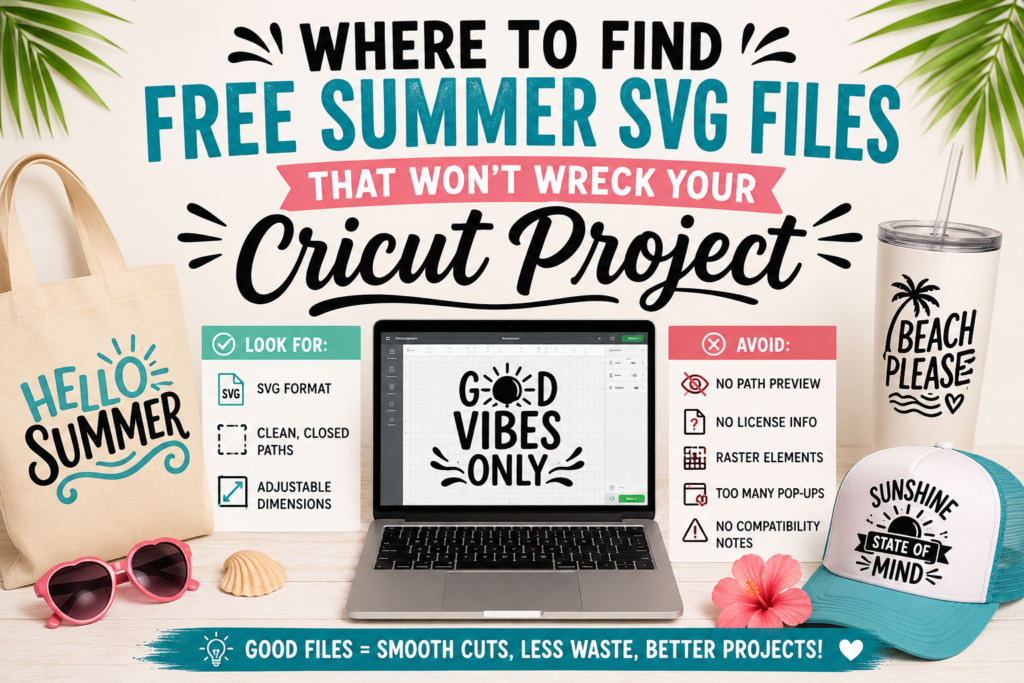
Finding reliable summer SVG free files starts with knowing which sources actually deliver Cricut-compatible formats. Trusted platforms like Design Bundles, Creative Fabrica, and even Cricut’s own Design Space library offer free summer Cricut SVG files that are properly structured. When you’re browsing, focus on three core criteria: the file must be in .SVG format (not just a PNG relabeled), the cut lines need to be clean and fully closed paths, and the design dimensions should be clearly stated or easily adjustable in Design Space.
We’ve all been there — you download what looks like a perfect summer vibes SVG free file, upload it, and suddenly Design Space is showing you a tangled mess of anchor points. That’s usually a sign of a poorly exported file. Stick to sources that preview the actual cut path, not just the visual artwork.
That said, not every free download is worth your time or materials. Watch for these red flags before cutting anything:
The file is only available as a ZIP with no preview of the actual SVG paths
No license information is listed, which creates issues for personal and commercial use
The design contains raster elements embedded inside the SVG file
Download pages are overloaded with pop-ups or redirect links, signaling low-quality sources
The file has no listed compatibility notes or Cricut-specific formatting details
These warning signs save you from wasted vinyl, ruined HTV transfers, and hours of troubleshooting inside Design Space.
Cute and Funny Summer SVG Designs Worth Adding to Your Collection
Summer is the perfect season to go bold with your craft projects, and the right design makes all the difference. Here’s a closer look at what separates a truly standout summer SVG from the rest.
What Makes a Summer SVG Design Cute
When browsing cute summer SVG options, a few key qualities consistently rise to the top:
Soft, warm color palettes featuring coral, peach, and golden yellow tones
Whimsical illustrated elements like ice cream cones, flip-flops, and tropical fruits
Playful phrases such as “Hello Summer” or “Summer Waves” paired with rounded, friendly fonts
Designs with layered details that add depth without overwhelming the overall look
What Makes a Summer SVG Design Funny
Funny summer SVG designs hit differently — they’re the ones that make people laugh before they even ask where you got your tote bag.
Relatable one-liners like “Beach Please” or “Salty Hair Don’t Care” that capture real summer moods
Unexpected pairings, like a sunshine graphic combined with “Sunshine & Coffee”
Self-aware humor referencing seasonal laziness, sunscreen struggles, or vacation obsession
Bold typography that makes punchlines land harder on shirts, hats, and tumblers
Summer Sun SVG as a Popular Motif
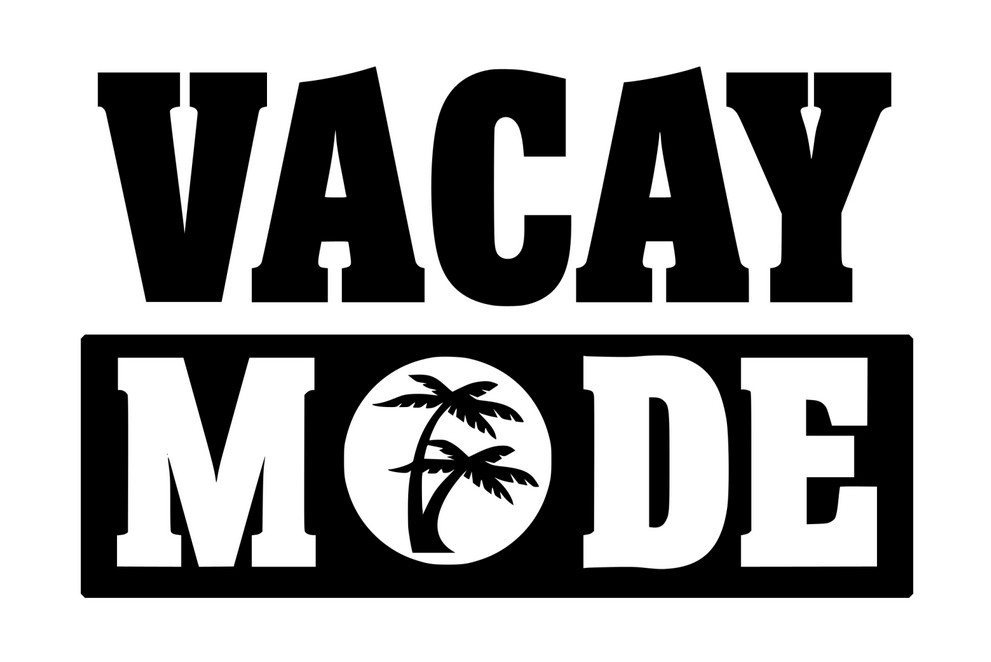
The summer sun SVG is one of the most versatile motifs in seasonal craft design. It works across nearly every project type — from apparel to home décor — because it instantly communicates warmth and energy. Designs like “Vacay Mode“ frequently feature sun-inspired graphics because the motif amplifies the carefree feeling behind the phrase. Within the broader world of summer SVG designs, the sun remains a consistently high-performing visual anchor.
Creative Ways to Use Cute and Funny Summer SVGs for DIY Projects
Iron cute summer SVG phrases onto linen tote bags for a beach-ready accessory
Customize a tumbler with “Salty Hair Don’t Care” using waterproof vinyl
Add a summer sun SVG to a plain white tee for an effortless seasonal wardrobe update
Decorate throw pillows or doormat surfaces with funny summer SVG quotes like “Sandy Toes Club”
What Can You Actually Make with Free Summer Cricut SVG Files?
Free summer SVG files open up a surprisingly wide range of DIY project categories — from wearables to full-on party setups. Whether you’re crafting for yourself, gifting a handmade piece, or decorating your backyard for a cookout, these cut files give you real creative flexibility without spending a dime on design assets. The vinyl cutting and heat transfer possibilities alone make the summer season one of the most productive times to fire up your Cricut machine.
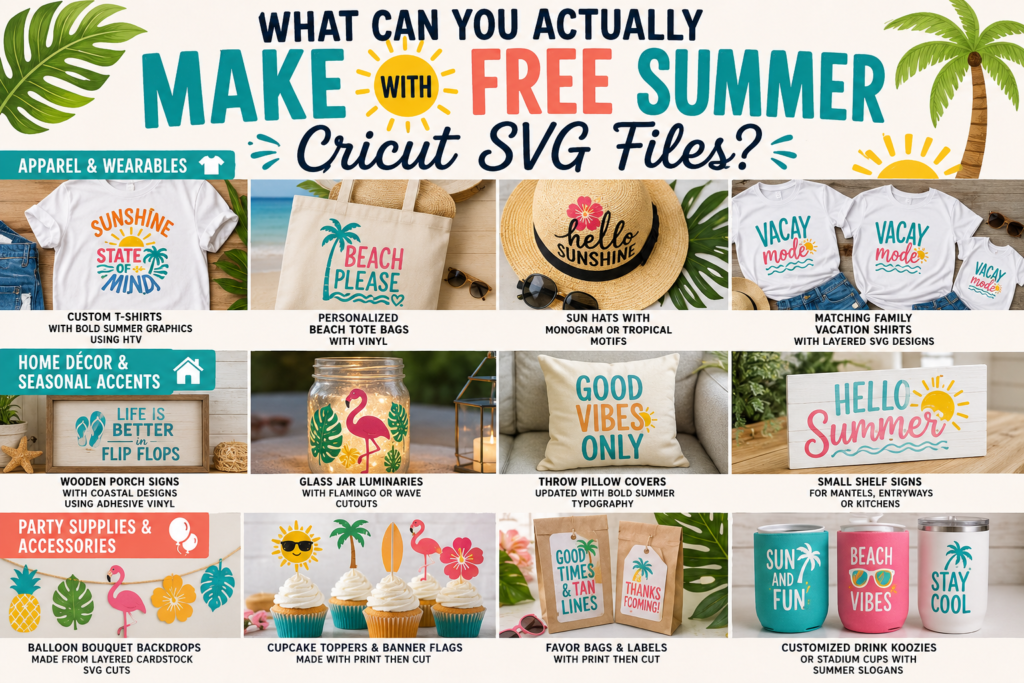
Apparel and wearable projects are where most crafters start, and for good reason. A single summer-themed SVG — think sunsets, tropical leaves, or retro beach lettering — transforms a plain tee into a custom piece using HTV (heat transfer vinyl). Tank tops, visors, and tote bags are all fair game here.
Custom T-shirts with bold seasonal graphics using HTV on cotton or poly blends
Personalized beach tote bags cut from adhesive or iron-on vinyl
Sun hats with monogram or tropical motifs pressed directly onto fabric panels
Matching family vacation shirts using layered SVG designs for multi-color cuts
Home décor and seasonal accents are another strong category for summer SVG projects. Adhesive vinyl on glass surfaces, wood signs, and pillow covers all work well with warm-weather themed cut files.
Wooden porch signs with coastal or sunshine designs using permanent adhesive vinyl
Glass jar luminaries with flamingo or wave cutouts for outdoor entertaining
Throw pillow covers updated with bold summer typography using iron-on vinyl
Party supplies and accessories round out the lineup in a major way. Cricut’s Print Then Cut feature expands your options even further here, letting you produce cupcake toppers, banner flags, and favor bag labels from the same SVG file set.
Balloon bouquet backdrops made from layered cardstock SVG cuts
Customized drink koozies or stadium cups with summer party slogans
How to Organize and Reuse Your Free Summer SVG Collection in Cricut Design Space
Managing your summer SVG files well inside Cricut Design Space saves you real time and keeps your creative workflow moving. When your digital cutting library is organized, you stop hunting through dozens of files and start actually making things.
Here’s how to handle your SVG collection the right way:
Upload SVGs correctly — Go to “Upload,” select your SVG file, and confirm it as a “Complex” cut type to preserve all vector layers intact.
Use folders and tags immediately — Label uploads by theme like “summer,” “beach,” or “tropical” right after uploading so your library stays searchable.
Combine elements across files — Open multiple SVG designs on one canvas, then mix and match individual layers to build entirely new seasonal compositions.
Avoid upload errors — Always check that your SVG has properly grouped paths before uploading, because ungrouped elements often break apart unexpectedly inside Design Space.
These steps set a strong foundation for your collection. But keeping that foundation useful long-term comes down to a few consistent habits.
Here are practical tips for better file organization and smart reuse:
Save remixed designs as new project files inside Design Space to access them later without rebuilding from scratch.
Rename every uploaded asset clearly, using descriptive labels instead of default filenames like “SVG_001.”
Duplicate seasonal canvas layouts across projects so your favorite summer arrangements carry into new cuts effortlessly.
Your free summer SVG collection becomes genuinely powerful when it’s organized, layered smartly, and treated as a reusable design system — not just a folder of one-time cuts.
Download this file then check it's Cricut-ready with SVG Doctor before you cut — it scans for stray nodes, layer issues, and anything that might cause problems in Design Space.
Check My SVG Free →
[…] You might also love Free Summer Cricut SVG Files for Creative 2026 Craft Projects. […]
[…] SVG files are a beloved choice among crafters for their simplicity and versatility. They work seamlessly with both Cricut Design Space and Silhouette Studio, allowing you to create stunning cut files and layered designs effortlessly. Whether it’s for vinyl craft projects or heat transfer vinyl (HTV) designs, having access to quality SVG files opens up endless creative options. Plus, you’ll find inspiration from different themes like animal SVGs, floral designs, and humorous quotes. You might also love Free Summer Cricut SVG Files for Creative 2026 Craft Projects. […]