About This Quote Designer Tool
Our quote designer tool makes it easy to create beautiful, layered text designs for cutting machines like Cricut or Silhouette. You can experiment with up to four lines of text, mix and match fonts (both script and standard), and fine-tune the size, bold, italic, and spacing of each line. The live preview lets you see every adjustment instantly before downloading your finished quote as an SVG file — ready for cutting, vinyl decals, wall art, or print projects. It’s fast, flexible, and beginner-friendly.
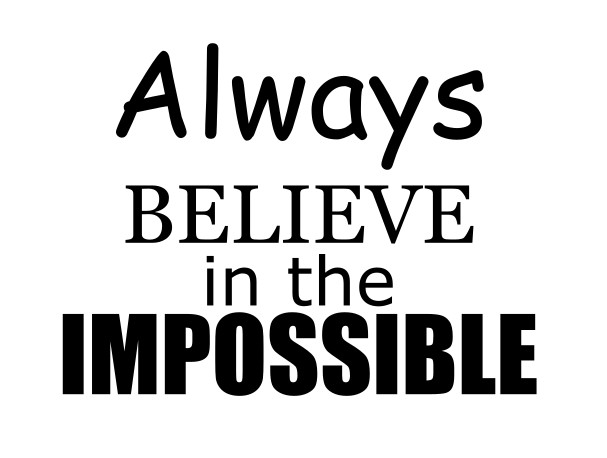
Below is an example of a quote made with the designer. This was done in 60 seconds showing how quick and easy the Quote Designer Tool is to use.
How to Use the Tool
- Enter Your Text:
Type your quote line-by-line into the text boxes. You can use up to four lines. - Pick a Font:
Use the dropdown beside each line to select from 15 different fonts — including elegant script and bold display styles. - Adjust the Size:
Change the font size in pixels for each line to control emphasis and balance. - Position Your Text:
Use the X (horizontal) and Y (vertical) offset controls to move lines left, right, up, or down. This is perfect for aligning lines closely or creating stacked effects. - Add Style:
Toggle Bold or Italic for any line to personalize the appearance. - Preview in Real Time:
Watch the live preview update as you make changes. - Download as SVG:
When you’re happy with your design, click “Download SVG”. The file will remain as editable text and is fully compatible with Cricut Design Space and other SVG-based software.
Troubleshooting Tips
- Preview Not Updating:
Make sure you’ve typed something into at least one line. The preview only appears when text is entered. - Text Overlapping:
Reduce font size or adjust Y offset values to space lines apart. - SVG Looks Blank in Cricut:
Double-check that your text color isn’t set to white and that the font downloaded correctly. - Download Button Not Working:
Try refreshing the page — some browsers block the first download prompt. - Fonts Display Differently After Download:
SVGs store font names, not the actual font files. Install the same fonts locally on your cutting machine software for perfect matching.
I hope you have enjoyed using the Quote Design Tool and if you would like to see any additional features added please leave a comment.