If you love working with heat transfer vinyl (HTV), sublimation, or Cricut’s Infusible Ink, you’ve probably wondered about the Cricut AutoPress. This is Cricut’s premium heat press, designed for makers who want fast, professional-quality results without the strain of traditional presses. Unlike a manual clamshell or swing-away press, the AutoPress locks into place with just two fingers and automatically adjusts to the thickness of your project.
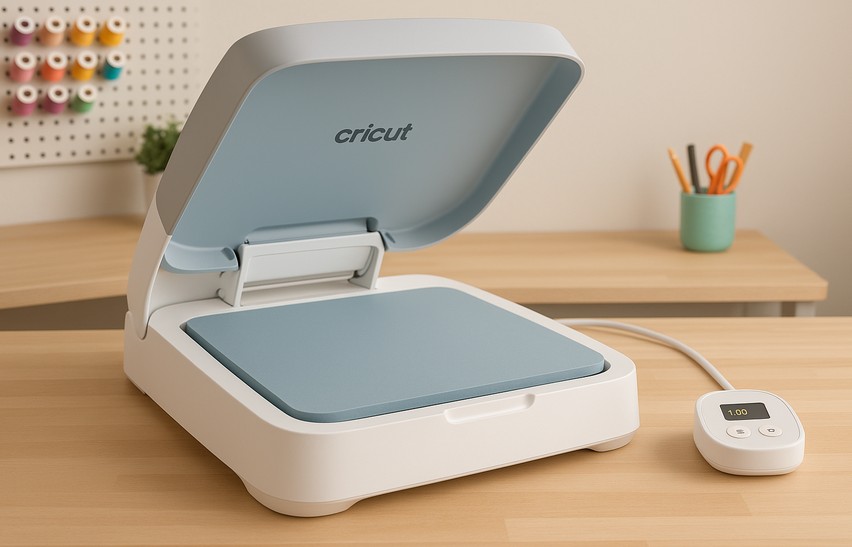
But with a price tag of nearly $1,000, the question remains: Is the Cricut AutoPress worth it? In this detailed review, we’ll explore its features, the pros and cons, who it’s best for, and how it stacks up against alternatives. By the end, you’ll have a clear picture of whether this machine belongs in your craft room or small business setup.
Cricut AutoPress Features
The Cricut AutoPress was created to make pressing simpler and more consistent, especially for crafters working with larger projects or bulk orders. It has a 15” x 12” heat plate, which is large enough for adult T-shirts, sweatshirts, tote bags, and even multiple smaller projects at once. The press reaches temperatures up to 400°F (204°C), which is essential for HTV, sublimation, and Infusible Ink projects.
One of the standout features is the automatic pressure system. Instead of manually clamping down with a heavy lever, the AutoPress senses the thickness of your project and applies the right pressure automatically. That means you can press delicate items like thin T-shirts or thicker items like hoodies and sweatshirts without adjusting knobs or second-guessing your pressure settings.
The machine is also designed with safety in mind. It has an automatic shut-off feature that powers down after 13 minutes of inactivity, which is reassuring if you’re the type of crafter who sometimes forgets to turn off machines. The heat plate opens and closes in a clamshell design, but it stays lifted and away from your hands when not in use, reducing the chance of accidental burns.
Control is handled through a detachable control pod where you can set time and temperature. While it doesn’t integrate with Cricut Design Space, the pod is intuitive and simple enough that beginners can master it within minutes.
Cricut AutoPress Pros
There are several reasons why the AutoPress is so appealing, especially for those who craft regularly or run small businesses.
Ease of Use: The AutoPress is designed to reduce physical strain. With traditional presses, you often have to use significant force to clamp down, which can be tough on your wrists and shoulders. The AutoPress locks into place with just two fingers, making it ideal for users who want a more ergonomic option.
Consistent Results: Because the machine automatically adjusts to the thickness of your material, you get even pressure every time. Combined with its even heat distribution, this eliminates common problems like peeling vinyl, bubbling HTV, or faded sublimation transfers.
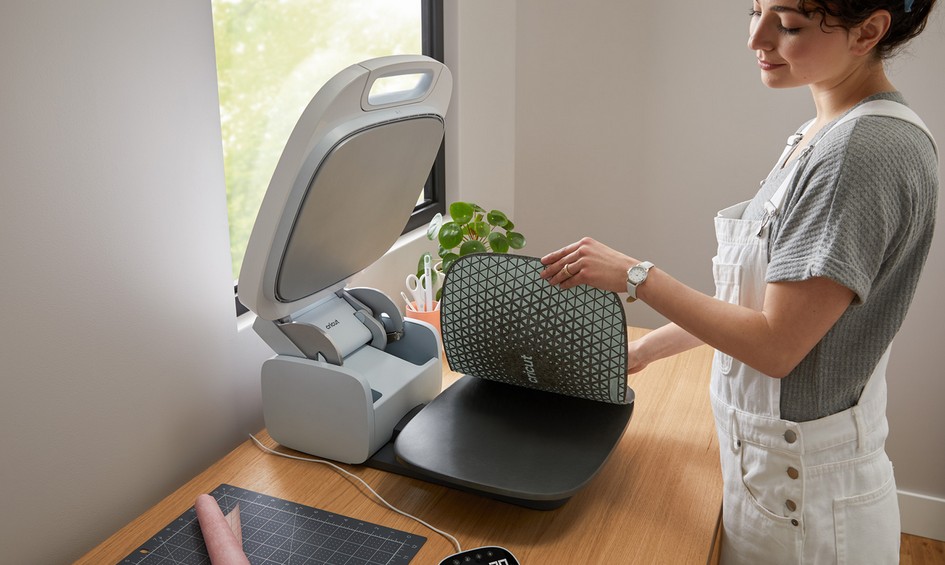
Large Pressing Area: The generous 15” x 12” plate is larger than what you get with a Cricut EasyPress and makes it possible to press full-size T-shirt designs in one go. If you’re making layered HTV designs, the larger plate means fewer repositionings, which saves both time and effort.
Safety Features: Cricut has always put safety at the forefront, and the AutoPress is no exception. From the auto shut-off feature to the heat-resistant housing, it’s designed to be safer than many generic presses on the market. This is especially valuable if you craft in a shared space or if kids are often nearby.
Perfect for Small Businesses: If you sell on Etsy, at craft fairs, or run a local custom T-shirt business, the AutoPress provides professional, repeatable results. You’ll spend less time worrying about uneven heat or inconsistent pressure and more time creating products you can confidently sell.
Cricut AutoPress Cons
Despite its strengths, the AutoPress does have drawbacks.
High Price Tag: At roughly $999/£999, this is one of Cricut’s most expensive products. For many crafters, the cost is prohibitive, especially when there are alternatives available for a fraction of the price.
Size and Weight: The AutoPress is heavy, weighing over 50 lbs. This isn’t the kind of machine you can easily store in a closet and pull out when needed. It requires a dedicated workspace, which may be a challenge if your crafting area is small.
Not Ideal for Hobbyists: If you only press the occasional shirt or mug, this machine is far more than you’ll ever need. In that case, something like the Cricut EasyPress 2 or 3 will serve you well at a much lower price point.
Limited Flexibility: While it’s sleek and modern, it doesn’t have interchangeable plates or the swing-away design found in some professional heat presses. That makes it less versatile if you want to press unusually shaped items.
Best Projects with Cricut AutoPress
The Cricut AutoPress makes it easy to take your heat transfer projects to the next level. With even heat, automatic pressure, and professional results, you can tackle a wide range of creative ideas. Here are some of the best projects to try:
1. Custom T-Shirts & Hoodies
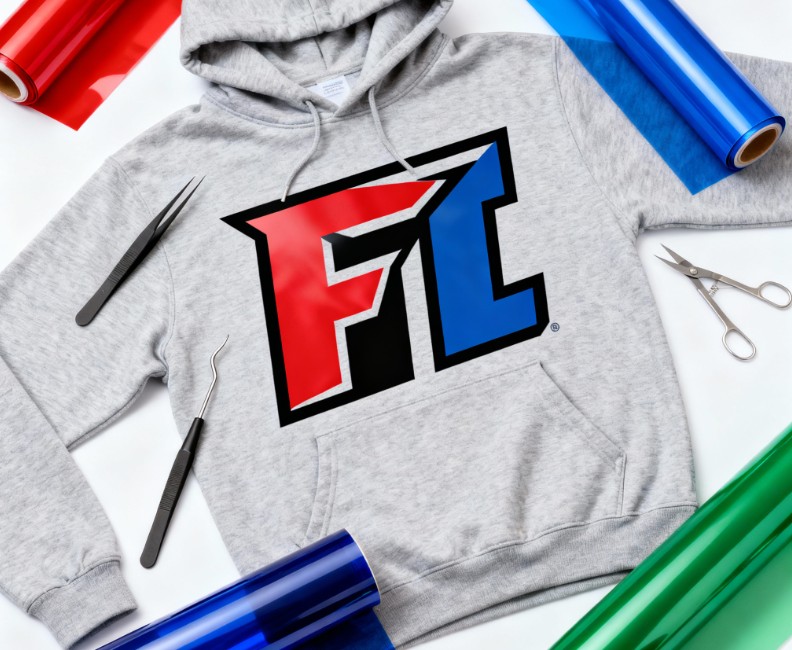
Creating custom apparel is where the AutoPress really shines. Whether you’re making matching family vacation shirts, sports team hoodies, or products to sell online, the press ensures flawless adhesion and long-lasting designs. You can use everyday vinyl or specialty foils and glitter for extra flair.
2. Personalized Tote Bags
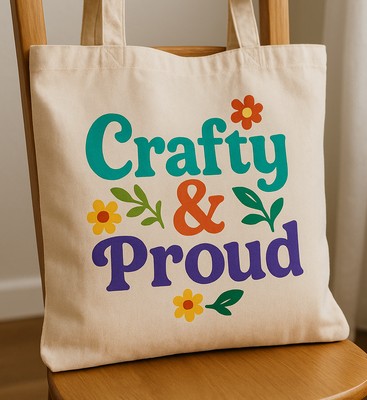
Tote bags are affordable, reusable, and ideal for gifts or business branding. Add fun quotes, floral patterns, or logos to make each one unique. The AutoPress’s large platen is perfect for oversized designs, giving you more creative freedom.
Image idea: A neutral canvas tote on a chair with a colorful “Crafty & Proud” design pressed on it.
3. Home Décor Pillows
Transform plain pillow covers into personalized home décor with seasonal sayings, farmhouse fonts, or monogrammed initials. The AutoPress delivers consistent results even on thicker fabrics, making pillows a great seller at craft fairs or a fun DIY project for your own home.

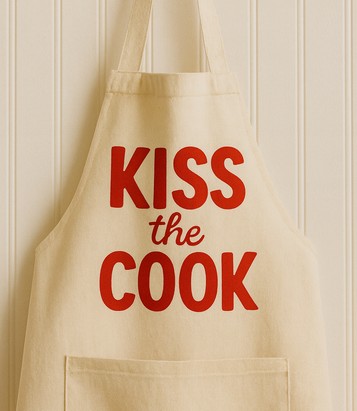
4. Aprons & Kitchen Textiles
Custom aprons, tea towels, and oven mitts make practical yet thoughtful gifts. Add playful quotes for bakers, BBQ lovers, or coffee enthusiasts. With AutoPress, you don’t have to worry about uneven pressure around seams or thicker fabrics.
5. Small Business Merchandise
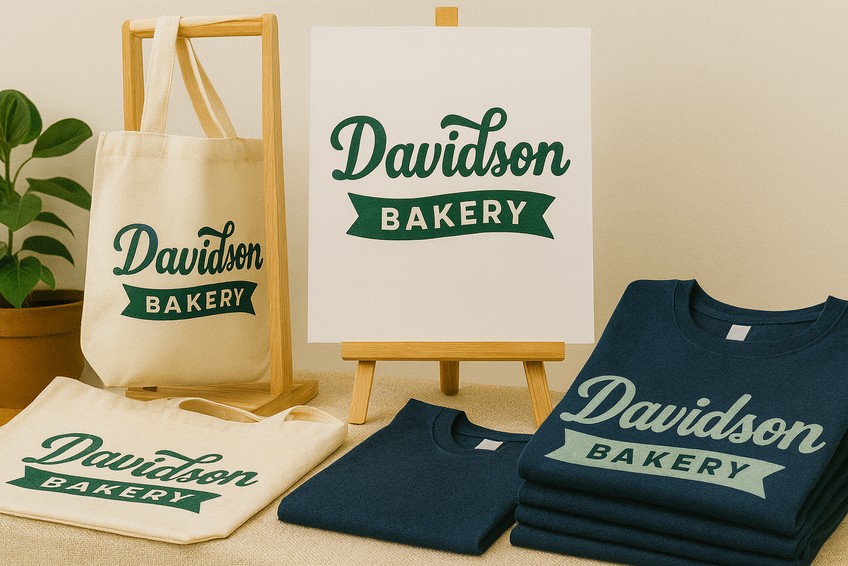
If you run a small shop, the AutoPress can help you create professional-quality merchandise in bulk. From branded shirts to promotional tote bags, you’ll save time and achieve consistent results — ideal for craft fairs, online shops, or giveaways.
Cricut AutoPress vs. EasyPress vs. Alternatives
To see if the AutoPress is worth it, it helps to compare it directly with other options:
| Feature | Cricut AutoPress | Cricut EasyPress 3 | HTVRONT Auto Heat Press | Traditional Heat Press |
|---|---|---|---|---|
| Plate Size | 15” x 12” | 12” x 10” (largest) | 15” x 15” | 15” x 15” (varies) |
| Pressure | Automatic | Manual | Automatic | Manual (lever/knob) |
| Temperature | Up to 400°F | Up to 400°F | Up to 410°F | 400°F+ |
| Ease of Use | Extremely simple | Beginner-friendly | Simple | Moderate learning curve |
| Price (approx.) | $999 | $219 | $299 | $200–$400 |
| Portability | Heavy, not portable | Lightweight | Mid-weight | Heavy |
| Best For | Small businesses, bulk jobs | Hobby crafters | Small businesses on budget | Business/startup use |
This table makes it clear: while the AutoPress is the most convenient, it’s also the most expensive. For some, the investment will pay off in saved time and consistent quality. For others, a smaller or budget-friendly press may make more sense.
Who Should Buy the Cricut AutoPress?
The AutoPress isn’t for everyone, but it’s perfect for certain groups of crafters.
If you run a small business, especially one that involves bulk orders of T-shirts, tote bags, or sublimation items, this machine will save you time and help ensure every item looks professional.
It’s also ideal for makers with limited mobility. If you struggle with wrist or arm strength, the AutoPress takes the physical effort out of heat pressing.
On the other hand, if you’re a casual crafter who only makes gifts for friends and family a few times a year, the investment probably won’t be worth it. A smaller press like the EasyPress 3 can deliver the same results for occasional projects at a fraction of the cost.
Cricut AutoPress Alternatives
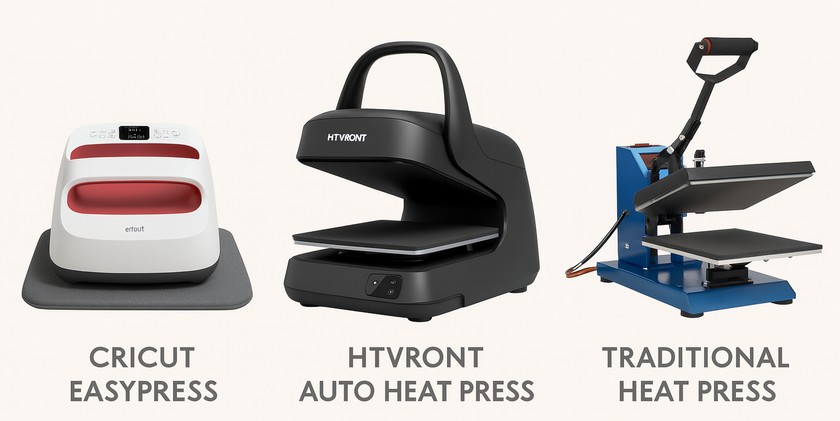
Not ready to spend $1,000? Here are alternatives that may suit your needs:
Cricut EasyPress 2 & 3: These are portable, affordable, and available in multiple sizes. They reach the same maximum temperature of 400°F, making them suitable for HTV and Infusible Ink. They require manual pressure, but they’re ideal for hobbyists and occasional projects.
HTVRONT Auto Heat Press: Often priced under $300, this press offers automatic pressure and a large pressing area. It’s one of the closest competitors to the Cricut AutoPress and is popular among small business owners on a budget.
Traditional Clamshell Presses: These range from $200–$400 and are widely available on Amazon or through specialty suppliers. While they may not look as sleek as Cricut’s offering, they’re durable and effective for business use.
FAQs About the Cricut AutoPress
Q: Can the Cricut AutoPress be used for sublimation?
Yes, it’s excellent for sublimation. The even heat and pressure make it reliable for pressing sublimation blanks like mugs, coasters, and shirts. Because the temperature can reach up to 400°F, it meets the requirements for most sublimation transfers. Users often find that colors come out more vibrant and transfers last longer compared to cheaper presses.
Q: Does it work with Cricut Infusible Ink?
Yes, and it often produces better results than smaller presses because the entire transfer sheet gets even pressure. This reduces ghosting or uneven areas in the design, which can sometimes happen when using handheld or smaller presses. It’s particularly good for larger projects like tote bags or full-shirt designs.
Q: How long does it take to heat up?
The AutoPress takes about 8 minutes to reach 400°F. That’s slower than an EasyPress, but it’s consistent once at temperature. Once it’s hot, you can complete project after project without waiting for the machine to recover, which is a big advantage for bulk production.
Q: Can it press thicker items?
Yes, it adjusts automatically to projects up to 2 inches thick, making it suitable for hoodies, sweatshirts, and other bulky items. This is particularly helpful for layered HTV projects or for pressing onto items like canvas boards that require more clearance.
Q: Is the AutoPress portable?
No. At over 50 lbs, it’s best for permanent placement in a craft room or studio. It’s not designed for portability, so if you plan on attending craft fairs or events where you need a lightweight press, the Cricut EasyPress would be a more practical choice.
Q: Is the Cricut AutoPress good for beginners?
Absolutely — the AutoPress is great for newcomers. It handles the heavy lifting with automatic pressure and simple controls, so you don’t have to guess timings or force pressure yourself. Insert your project, pick temperature/time, and let it do the rest. There’s still a learning curve with different materials, but overall it’s far friendlier to beginners than most manual heat presses.
Q: Does Cricut AutoPress work with all vinyl brands?
For the most part, yes — it’s compatible with most standard heat transfer vinyl brands. The key is matching the right temp, dwell time, and pressure (via Cricut’s Heat Guide). Because AutoPress maintains even heat and consistent pressure, it can compensate when a vinyl is fussy. But with thick specialty vinyl or odd formulations, always test a small piece first to ensure proper adhesion.
Q: How do you update Cricut AutoPress firmware?
Updating is straightforward. Go to cricut.com/setup, pick “Heat Press → AutoPress,” then connect the Control Pod via USB to your computer. Follow the on-screen instructions to download and install updates. Once installed, power on your press (ensure the transit lock is off), and it’ll check/complete firmware updates itself before first use.
Q: Why is my press not heating evenly?
Uneven heating usually comes down to poor contact or obstructions. Make sure your fabric lies completely flat, avoid seams or folds under the area being pressed, and use the right settings. Your press should be placed on a perfectly level surface. If problems persist, a defect in the heating element or hardware may be to blame — contact support or run Cricut’s recommended diagnostics.
Q: What is the warranty and return process?
Cricut typically covers the AutoPress with a one-year manufacturer’s warranty (varies by country). If something fails within that period, contact Cricut Member Care with proof of purchase for repair or replacement. Returns depend on your retailer — Cricut only honours returns from authorised sellers. Always check the seller’s return policy (restocking fees, timeframe) before buying.
Q: Is there a Cricut AutoPress bundle discount?
Yes — Cricut occasionally offers bundle deals combining the AutoPress with accessories, tools, or subscriptions at a lower total price. These bundles usually appear on Cricut’s official site (via “Bundles & Deals” or seasonal promos). Some retailers also create their own bundles or discounts, so it’s worth checking around before you buy.
Final Verdict: Is the Cricut AutoPress Worth It?
In this Cricut AutoPress review, we’ve seen that the machine offers convenience, consistency, and professional results. It’s a fantastic option for small businesses and serious crafters who produce projects regularly. However, for hobbyists or those with limited budgets, the cost and size make it less practical.
If you need a press that will save you time, reduce mistakes, and handle bulk orders with ease, the AutoPress is a worthwhile investment. But if you craft casually, an EasyPress or budget-friendly alternative will meet your needs without breaking the bank.
Ultimately, whether it’s worth it comes down to your crafting goals, budget, and how often you’ll use it.
Download this file then check it's Cricut-ready with SVG Doctor before you cut — it scans for stray nodes, layer issues, and anything that might cause problems in Design Space.
Check My SVG Free →